 PasteKit
Clipboard keyboard for iPhone & iPad
Your replies, one tap away
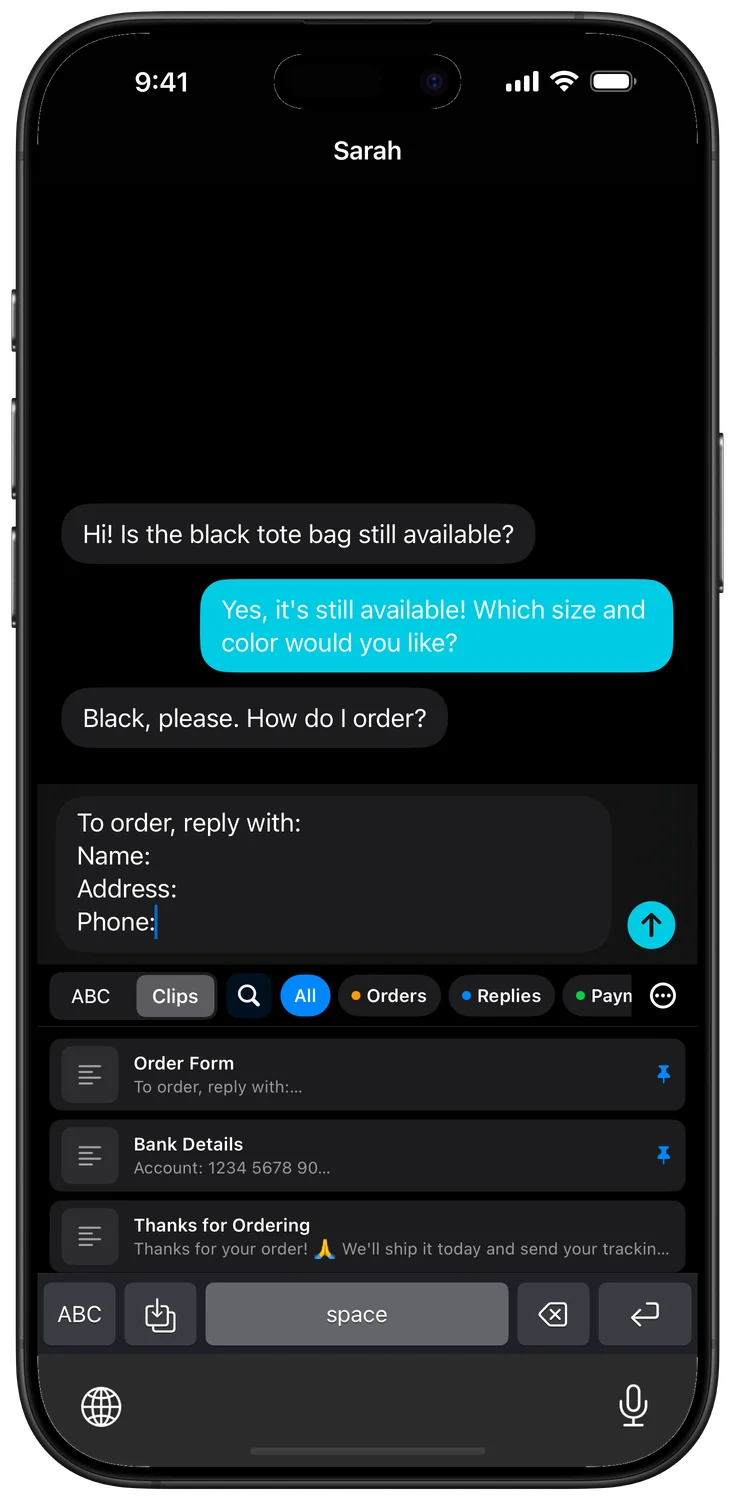
PasteKit saves the messages, addresses, payment details and images you send every day. Insert them in any chat from your keyboard with a single tap.

- Free to start
- No ads
- 25 clips free
- iOS 17+
Made for people who type the same things every day
Online sellers
Order forms, bank details, shipping times and “yes, it’s still available” replies — ready for every buyer.
Freelancers & creators
Rates, portfolio links, invoice details, captions and hashtags without retyping.
Customer support
Answers to common questions, follow-ups and thank-you messages that stay consistent.
Everyday life
Home address, email signature, tracking numbers and meeting links, always one tap away.
Everything you need to reply faster
Quick replies from your keyboard
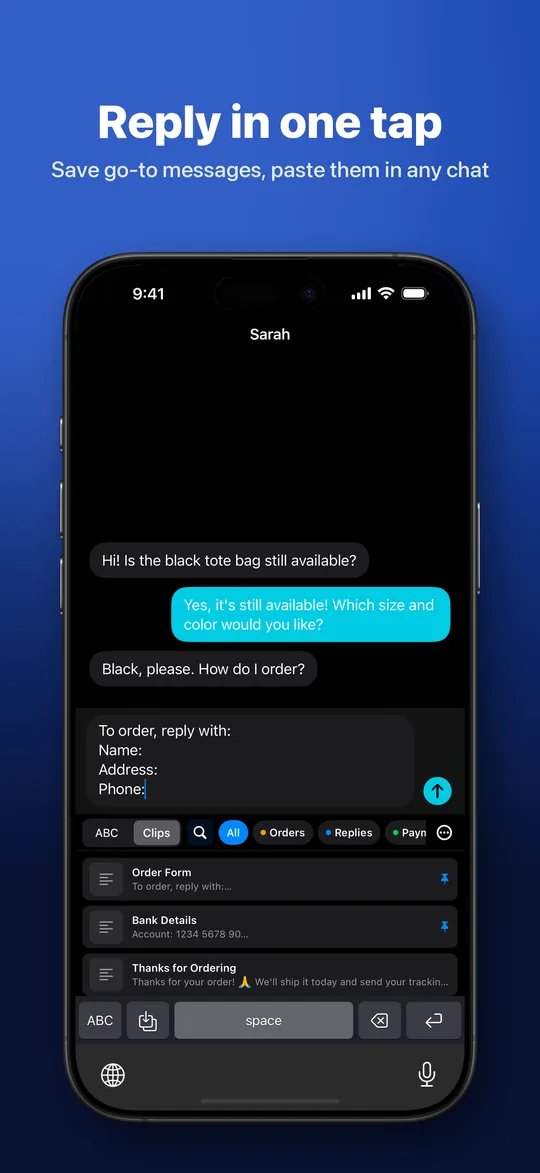
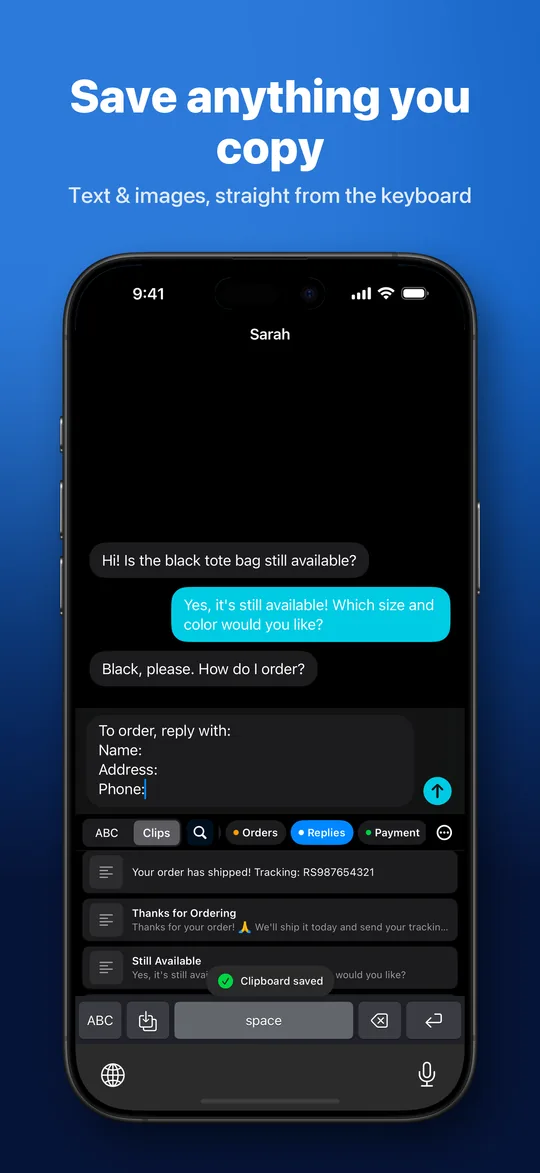
Tap a clip to insert it into the chat or text field — in any app that supports custom keyboards.
Categories in the keyboard
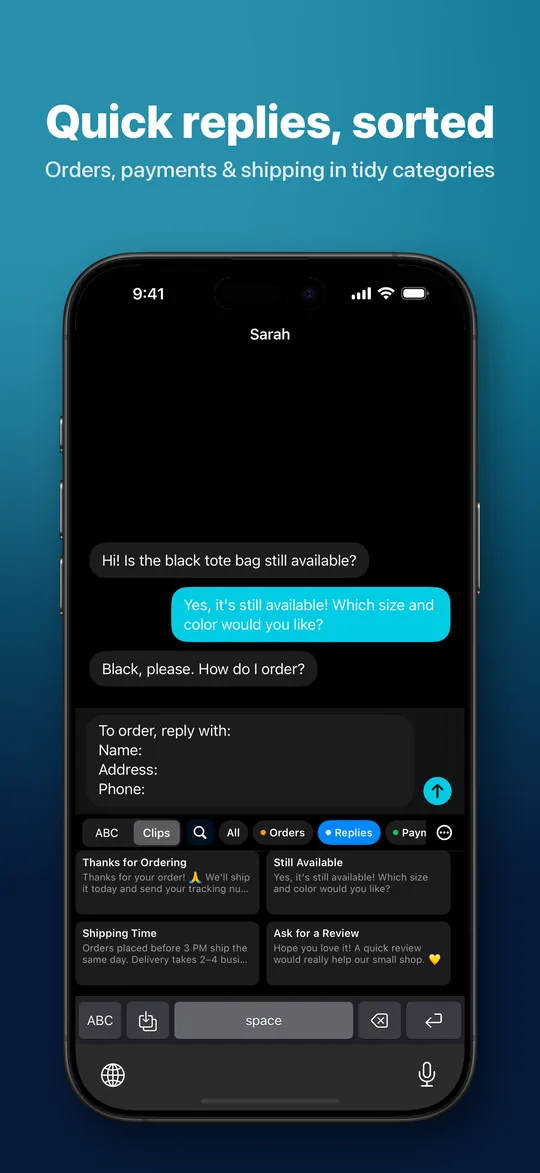
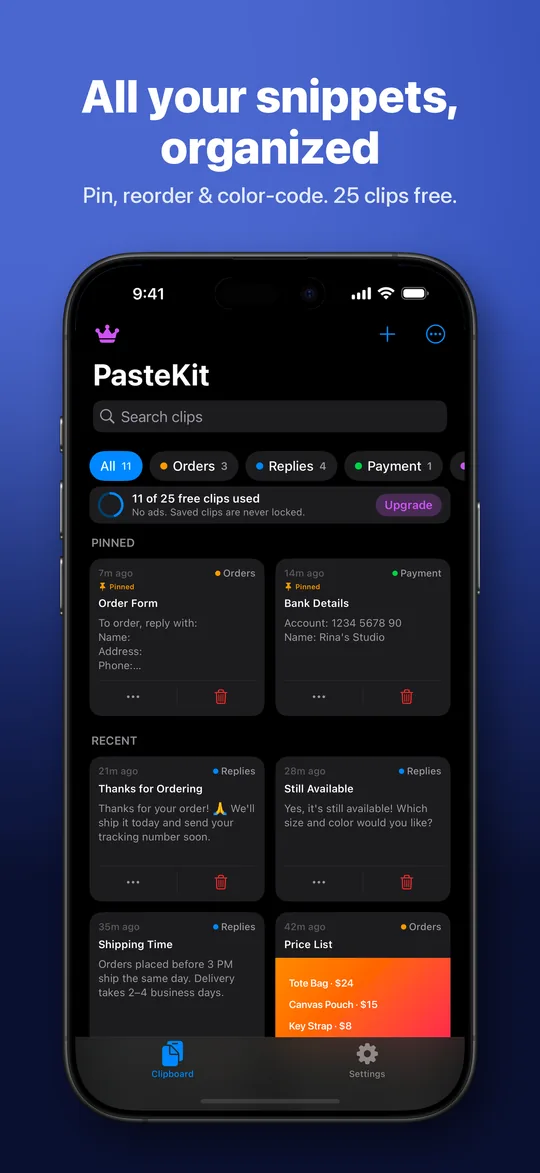
Group clips into colored categories like Orders, Replies or Payment and switch with tabs.
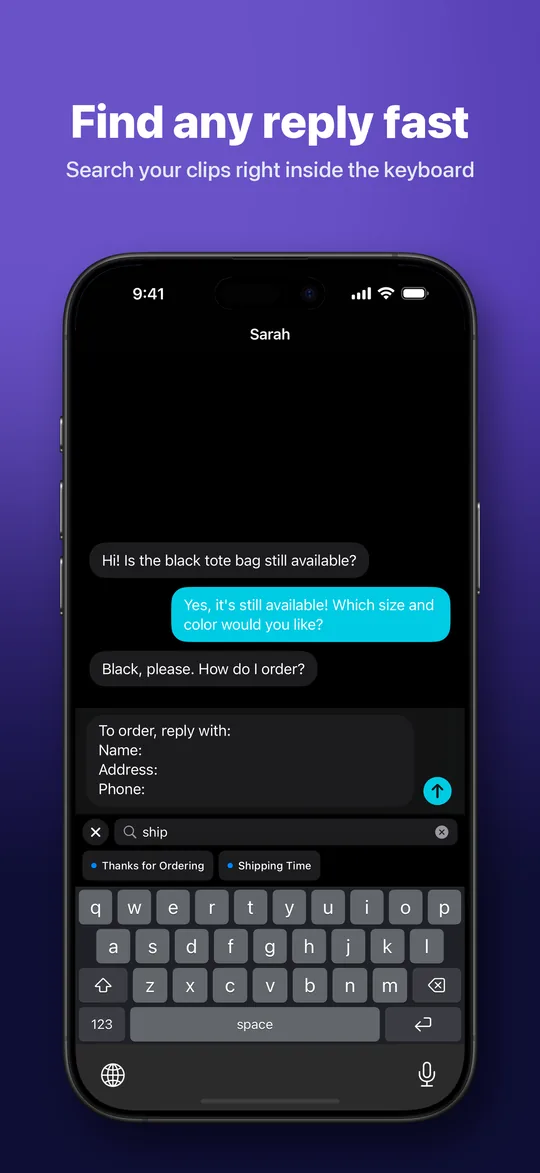
Search inside the keyboard
Find any saved clip without leaving the conversation.
Save what you copy
Tap Save Clipboard to keep copied text or images. Optional auto-save when the keyboard opens.
Text and images
Keep product photos and price lists next to your replies. Share text, links and images in from the Share Sheet.
Pin and arrange
Pin your favorites and set your own order. The keyboard follows the same order.
iCloud Backup & Sync
With PasteKit Pro, your clips stay up to date on all your devices in your private iCloud.
Free backup export
Export every clip and category to a file you control, and import it anytime.
Three languages
Available in English, Bahasa Indonesia and Korean.
See PasteKit in action
Ready in a minute
Save your clips
Add replies in the app, share them in from other apps, or tap Save Clipboard in the keyboard.
Add the keyboard
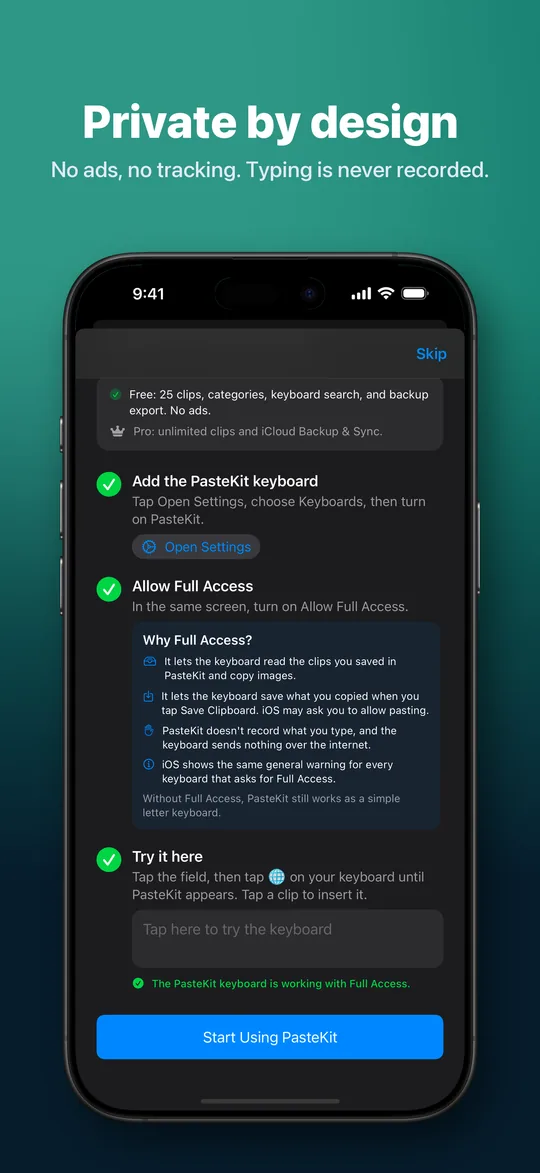
The built-in setup guide walks you through adding PasteKit and explains Allow Full Access.
Tap to paste
While typing, switch to PasteKit with the globe key and tap a clip. Done.
Your clips stay yours
- No ads, no tracking and no account needed.
- Clips are stored on your device unless you turn on iCloud Backup & Sync.
- The keyboard never records what you type and sends nothing over the internet.
- It reads the clipboard only when you tap Save Clipboard or turn on auto-save. Passwords copied from password managers are never saved automatically.
Simple, fair pricing
Free
Free
- Up to 25 clips
- Categories & keyboard search
- Save Clipboard & Share Sheet
- Backup export & import
- No ads
PasteKit Pro
Monthly, yearly or lifetime
- Unlimited clips
- iCloud Backup & Sync
- Everything in Free
Saved clips are never locked. Prices are shown in the App Store for your region.
Frequently asked questions
Is PasteKit free?
Yes. You can save up to 25 clips for free, with categories, keyboard search, Save Clipboard and backup export included. PasteKit Pro unlocks unlimited clips and iCloud Backup & Sync. There are no ads.
Does PasteKit work with WhatsApp, Instagram and other apps?
Yes. PasteKit works in any app that allows custom keyboards, including chat, email, social media and marketplace apps. iOS always uses the system keyboard in password fields, and a few apps block custom keyboards.
Why does the keyboard need Full Access?
iOS requires Full Access before a keyboard can read the clips saved by its app or use the clipboard. PasteKit uses it only for that. It does not record what you type and sends nothing over the internet. Without Full Access, PasteKit still works as a simple letter keyboard.
Can PasteKit paste images?
iOS keyboards can only insert text. When you tap an image clip, PasteKit copies it so you can paste it with one long-press in the chat.
Does PasteKit read my clipboard in the background?
No. It reads the clipboard only when you tap Save Clipboard, when the optional auto-save is on and you open the keyboard, or when you open the app and agree to save copied text.
How do I move my clips to a new phone?
Use Export Backup in Settings to save a file, then Import Backup on the new device. It’s free. With PasteKit Pro, iCloud Backup & Sync does this automatically.
Does PasteKit work on iPad?
Yes. PasteKit works on iPhone and iPad with iOS or iPadOS 17 or later.
Stop retyping. Start pasting.
Get PasteKit free on the App Store.